Most Databricks MLOps guidance assumes you can train and develop directly inside a production Unity Catalog. In many organisations, that’s simply not possible, whether for compliance, data‑security, tenancy boundary or governance reasons.
So this post outlines a design concept I created that stays aligned with official Databricks and Azure MLOps guidance while enabling safe, isolated, scalable development inside Databricks when you can’t touch production catalogs directly.
It builds on the core principles from Microsoft Azure and Databricks’ published patterns, but adapts them for teams who need stricter environmental separation, workspace‑level isolation and predictable CI/CD behaviour.
What Is MLOps?
MLOps is the discipline of taking machine‑learning workloads from experimentation into engineered, repeatable, governed production workflows.
The official guidance from Azure and Databricks focuses on:
- Using Unity Catalog for feature governance
- Training in reproducible pipelines
- Versioning models, code, data and features
- Using CI/CD to deploy and promote artefacts
- Treating machine‑learning assets as first‑class software components
References worth reading:
- Azure Databricks MLOps Workflow
https://learn.microsoft.com/en-us/azure/databricks/machine-learning/mlops/mlops-workflow - Microsoft AI/ML Architecture Guidance
https://learn.microsoft.com/en-us/azure/architecture/ai-ml/idea/orchestrate-machine-learning-azure-databricks - Databricks Deployment Patterns
https://learn.microsoft.com/en-us/azure/databricks/machine-learning/mlops/deployment-patterns
This concept follows the recommended patterns — but adapts them to a more secure, real‑world layout where dev teams cannot interact with production catalogs or data.
MLOps Design
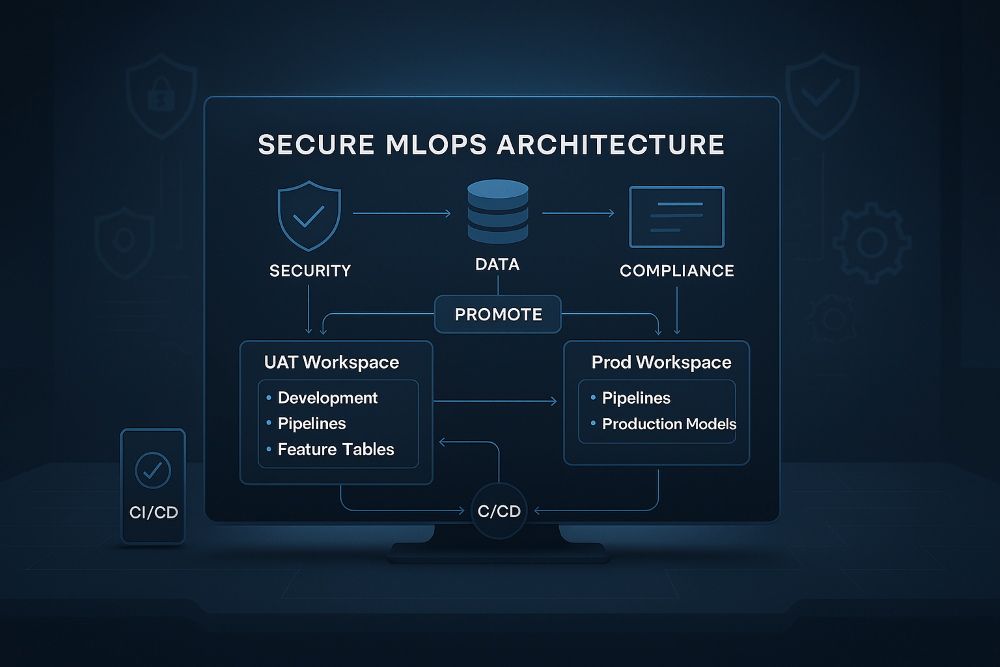
The architecture uses two Databricks workspaces (UAT and Production), anchored by Unity Catalog but with strict separation between development assets and CI/CD‑managed assets.

Features of the Design
These are some key points and features of the design.
Development Happens Inside the UAT Workspace
Developers work in UAT but inside personal workspace folders, completely isolated from anything deployed via CI/CD. This allows access to production‑like data (via UAT lake) with separation from the deployed resources, and a safe space to experiment.
This is enables UAT to become the development playground, but the deployed assets remain protected and immutable.
Workspace‑Level Models for Safe Isolation
To prevent accidental registry pollution or cross‑environment leakage, all model training is intentionally carried out using workspace‑scoped models rather than Unity Catalog models. This keeps development isolated, avoids any possibility of contaminating the production model registry, and ensures that each data scientist’s experimental outputs remain fully contained within their own workspace boundaries.
A Controlled “Development Catalog”
The UAT workspace also includes a dedicated Development Catalog, which provides a controlled schema specifically for feature development. This schema allows elevated write and grant permissions for data scientists, giving them a safe space to build and refine early‑stage feature tables while ensuring that production feature stores remain untouched.
CI/CD Deploys Verified Assets Into Isolated Locations
After validation, CI/CD pushes approved artifacts into structured, controlled locations:
- Notebooks → deployed into a non‑shared workspace folder
- Features → stored in dedicated UC schemas with locked grants
- Models → UC model schemas (UAT and Prod respectively)
- Pipelines → created and managed only via deployment pipelines
These areas use tightly controlled permissions, so that data scientists can read and execute assets but cannot modify them, ensuring a strict separation between free‑form experimentation and governed, production‑grade workloads. Develop freely, promote selectively, and run only tightly controlled artifacts.
The MLOps Flow
Below is a walk through of the MLOps flow, which assumes GitFlow as the branching strategy, but can be adapted to any.
1. Development in the UAT Workspace
Data scientists work inside personal folders within the UAT workspace, where they build notebooks, pipelines and models using production‑like data. Experimental models are stored at workspace scope, and early‑stage feature prototypes are written into the development catalog to keep them isolated from production‑grade assets.
2. Export to a Git Feature Branch
When the work reaches a stable point, notebooks or repos are exported into a feature branch within the GitHub repository, creating a clear handover from exploratory development to version‑controlled engineering.
3. Pull Request and Validation
Opening a pull request triggers peer review, linting checks and automated unit tests. The unit tests use the Databricks GitHub Action, which creates a temporary Git folder directly inside the Databricks workspace and executes tests against the real runtime with full Unity Catalog bindings. This ensures that validation happens in the same environment the code will ultimately run in.
4. Continuous Deployment to UAT
Once the pull request is merged into the develop branch, CI/CD automatically deploys notebooks into the controlled UAT workspace folder, writes feature tables into the appropriate UAT Unity Catalog schemas, and converts workspace assets into managed, governed artefacts. This keeps deployed items cleanly separated from personal development areas.
5. Preparing for Production
When the solution is ready for production, a release branch is created. The same CI/CD pipeline deploys the validated assets into the Production workspace but importantly, models are never retrained in production in this design. This design follows the recommendation of using a hybrid deployment pattern for model as referenced in Azure MLOps Deployment Patterns.
6. Models Are Deployed Only to UAT, Then Promoted to Production
Models follow a strict promotion pathway. They are trained inside the UAT workspace, exported, deployed into the UAT model registry, validated end‑to‑end, and then promoted to the Production registry through CI/CD. This avoids the need to retrain in Production, reduces compute cost, guarantees reproducibility, and ensures that the validated UAT model is exactly the one running in Production. Of course the ability to not use the promotion method is there as the engineers could deploy the training notebooks and pipelines to execute if they desired.
Conclusion
In practice, this architecture gives teams a secure and reliable way to build and deploy machine‑learning workloads without exposing production catalogs or risking cross‑environment contamination. Model development stays safely isolated, deployments become fully reproducible through CI/CD, and promotions are faster and cheaper by avoiding retraining in production. It also enforces a clean separation between exploratory work and production‑grade assets, creating a strong foundation for layering RBAC and persona‑based access controls on top.
The next logical step is applying a clear access model across these components. If you want a deep dive on that topic, the post below is the perfect reference:
➡️ Understanding Databricks RBAC, Grants, Permissions and Entitlements
 PR Code