
This libraries purpose is to automatically inject the necessary tags and commands to the users mark-up, so that it meets the standards as much as possible. There are also commands for the users to inject the methods on to specific parts if the library does not get them automatically. Also the automatic functionality can be turned off if only partly needed.
Tag Archives: JavaScript
Galen Framework Hover in JavaScript

A bit of a small audience for this one, but a project I was put on wanted to us the Galen Framework to test their UI. For people who do not know what this framework is, it is a method of writing acceptance code that matches up to the output in the browser window. This can be coded to work for all different device, sizes and URLs. One hard space I came to was to action the hover state of an element and then test it.
What if the worst happens?

I see a lot of companies rush, rush, rush and push, push, push to get things in fast. They want to deliver new features every second if they could. However this has big risk and future problems they keep coming. I always say Prepare for the Worst and Hope for the Best!
Good, Bad and the Ugly Commenting
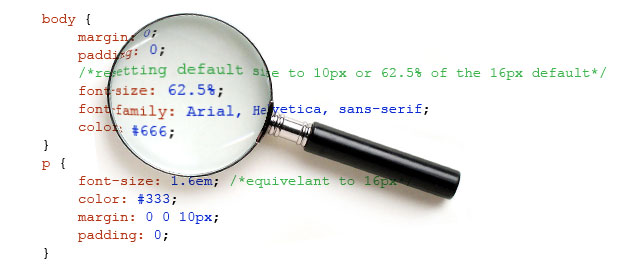
I feel that it is important to comment your code and make sure that the next developer that uses the project knows what the hell you have done. However I have seen over the time I have been developing a lot of different ways people comment, so here are some of the dos and doContinueContinue reading “Good, Bad and the Ugly Commenting”
MS Word special characters Regex

That pesky Microsoft! They have to be different and mess us developers around don’t they. Have you ever noticed that Microsoft Word’s symbols look a bit different or act a little odd? Well it’s because they are not the standard char characters. This can be a pain for Regex and other things. So how doContinueContinue reading “MS Word special characters Regex”
Sticky Menu Bar code and example

This is a bit of a feature a lot of websites use and love, which is the Sticky Menu Bar. This could also be used for things like a cookie policy bar as well, but what ever the use it is a good feature. However I see some people add these with some terrible codeContinueContinue reading “Sticky Menu Bar code and example”
How to detect JQuery UI collision position

Some may not know, but you can use the JQuery method position to pass an object with a lot of functionality. This properties of the position object can control where the item sits in the HTML, plus also the collision. This is where it collides with another DOM or the window of the page andContinueContinue reading “How to detect JQuery UI collision position”
VAT Number Validation

One bit of code I needed recently was a way to validate a user’s VAT number, but for particular countries. Please see the reasons and method for validating a user’s VAT for most of Europe.
 PR Code