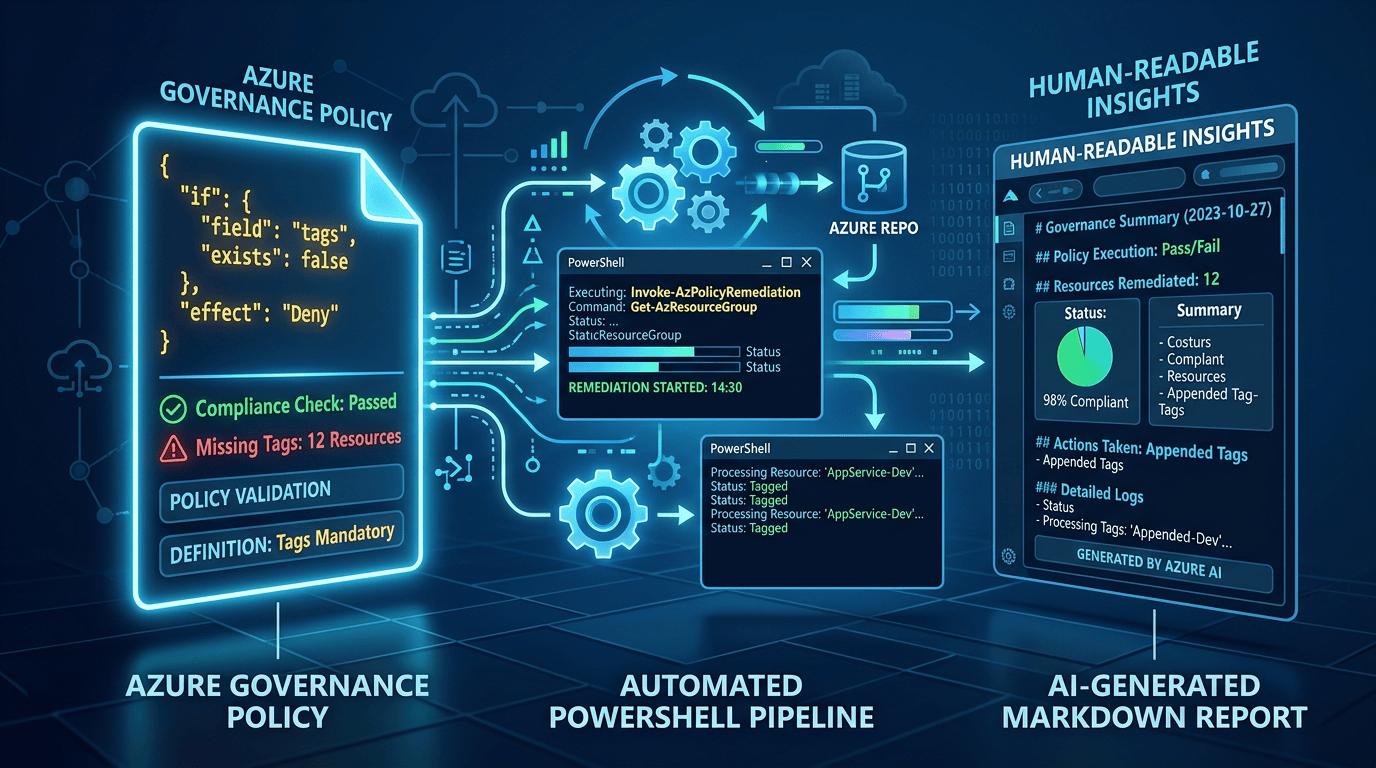
Azure Policy is one of those services that looks simple until you start authoring your own definitions. The JSON may be valid and the policy may deploy successfully, but that does not necessarily mean it is robust, safe to roll out or consistent across the resource API versions you support.
That is why the public release of the Azure Policy Linter is useful. It provides policy authors with fast, repeatable feedback on known issues, common pitfalls and established good practice before a definition is assigned to an environment.
Why the public release matters
Policy teams have often relied on documentation reviews, testing and operational experience to identify authoring problems. A publicly available linter makes many of those checks repeatable and allows them to run locally or as part of a delivery pipeline.
That lowers the barrier to adopting Policy as Code. It also gives teams a practical way to improve an existing policy estate without depending on every reviewer remembering every Azure Policy edge case.
Policy should be treated as code
If Azure Policy controls how resources can be deployed and configured, the definitions themselves should be managed with the same discipline as application or infrastructure code. They should live in source control, follow a review process and move through repeatable validation and deployment pipelines.
This creates a shared place to collaborate, a history of why a control changed and a single source of truth for deployment. More importantly, it creates an opportunity to catch problems before a policy reaches Azure. A definition that defaults to Deny, uses an unreliable alias or matches more resources than intended can have a much wider blast radius than a normal coding mistake.
What Azure Policy Linter does
The linter codifies knowledge that is otherwise spread across Azure Policy documentation, resource-provider behaviour and hard-won operational experience. It returns error, warning and informational findings that can be reviewed locally or used as a quality gate in continuous integration.
If the .NET SDK is already available, the tool can be installed globally:
dotnet tool install --global Microsoft.Azure.Policy.PolicyLinter.Cli
A single definition can then be checked with:
policylinter C:\policies\policyDefinition.json
Running the linter across a policy repository
Running the command against one file is useful while authoring, but most policy repositories contain a collection of definitions. I wrote a small PowerShell wrapper that discovers the policy files in a supplied folder, validates the prerequisites, creates the output directory when necessary and passes the collection to the linter in one run.
.\policylinter.ps1 -PoliciesDirectory .\policies -OutputDirectory .\output
The core of the wrapper is deliberately small:
$policyPaths = @( Get-ChildItem -LiteralPath $PoliciesDirectory -File | Sort-Object FullName | ForEach-Object FullName ) & policylinter @policyPaths --output $resultPath
The full, maintained PowerShell scripts are available in my Azure Policy code snippets repository.
Using Copilot CLI to create a readable assessment
The challenge with linter output is not generating it; it is making it easy to consume. Structured JSON is ideal for automation, but a pull-request reviewer, platform owner or governance lead often needs a concise view of the risk, affected files and next actions.
The second version of the wrapper parses and groups the findings before passing a deliberately reduced summary to Copilot CLI. Rather than sending the raw report, it extracts the rule identifier, severity, description, policy path and documentation reference. PowerShell calculates the exact counts and groups repeated findings before the model sees them.
This can then be push to Pull Requests for easy review and summary.
$analysisReport = [pscustomobject]@{ fileCount = @($linterResults.PSObject.Properties).Count findingCount = $findings.Count severityCounts = $severityCounts findings = $groupedFindings }
Design Explained: The linter supplies the facts, PowerShell performs deterministic counting and grouping, and Copilot explains the result. AI is an enrichment layer, not a validation dependency.
The prompt also treats the linter output as untrusted data, tells Copilot not to follow instructions contained within it and requests only a final Markdown report. If Copilot CLI is unavailable or fails, the original results.json remains available. You can get the full PowerShell version from chris-pateman/code-snippets
What the report looks like
In my example run, the linter returned 73 findings across 14 files: 25 warnings and 48 informational findings, with no error-level issues. The generated report reduced that output to a short set of review points:
- 12 policy definitions had parameterised effects defaulting to Deny, increasing the risk of accidental enforcement.
- Several field aliases were unavailable in older resource API versions.
- Two definitions supported a deny-capable effect without an audit counterpart for safer rollout.
- One type comparison used a broad matching operator, and another finding highlighted a read-only field alias.
Example output
# Policy Linter Findings Summary
## Overall Severity
– **73 total findings** across **14 files**
– **Warning:** 25 | **Informational:** 48
– No Error-level findings; most issues are hygiene/robustness concerns rather than blocking defects.
## Priority Rules (Warning severity)
1. **risky-effect-parameter-default-value** (12 occurrences, 12 files) — Parameterized effects default to `Deny`, risking accidental enforcement.
2. **field-alias-unavailable-in-old-api-versions** (9 occurrences, 6 files) — Field aliases referenced don’t exist in some older API versions of the target resource type.
3. **missing-audit-effect-counterpart** (2 occurrences, 2 files) — `Deny`-capable effect parameters lack an `audit` option for safe rollout.
4. **broad-type-matching-operator** (1 occurrence) — Use of `like` for `type` comparisons risks over-matching.
5. **read-only-field-alias** (1 occurrence) — Alias maps to a read-only property in some API versions, which may cause silent evaluation gaps.
## Affected Files (highest concentration)
– `audit-public-network-data-services.json` and `storage-*` files appear across the most rule categories (API-version aliasing, risky defaults, parameter docs).
– `allowed-locations.json`, `allowed-vm-skus.json`, `deny-classic-resources.json`, `deny-public-ip-nics-without-nsg.json`, `key-vault-soft-delete.json`, `required-resource-group-tags.json` each carry multiple Informational/Warning issues (mainly missing parameter descriptions + risky effect defaults).
## Actionable Remediations
– **Change default effect parameters from `Deny` to `audit`** in all 12 flagged definitions to reduce accidental enforcement risk.
– **Add `audit` as an allowed/default effect** alongside `Deny` in `audit-open-nsg-rules.json` and `deny-public-ip-nics-without-nsg.json`.
– **Add `metadata.description`** to all 16 flagged parameters (e.g., `allowedLocations`, `effect` parameters) for assignment-time guidance.
– **Replace `like` with `equals`/`in`** for the `type` field match in `deny-classic-resources.json`.
– **Review field aliases** flagged as unavailable/optional/read-only in old API versions (9 + 15 + 1 occurrences) — confirm policy still evaluates correctly across supported API versions, or pin a minimum API version.
– **Convert implicit array enumeration** in `deny-public-ip-nics-without-nsg.json` to an explicit field-count expression for clearer `allOf` semantics.
– No action required for `system-rule` (14 occurrences) — informational note that the linter wrapped a property bag; and `policy-rule-references-multiple-resource-types` (2 occurrences) is a valid pattern unless unintended.
## Missing Context
– Exact API version lists were omitted (`[omitted]`) for all API-version-related findings — needed to confirm real-world impact and determine minimum supported API version.
– No file-level line/column locations or policy rule snippets were provided, limiting precise remediation targeting within larger files.
– No indication of current policy assignment mode (audit vs. enforce) to gauge real-world risk of the `risky-effect-parameter-default-value` findings.
This is much easier to consume than a long JSON file. It gives a reviewer enough information to understand the risk and decide where to investigate, while the original machine-readable results remain the source of truth.
Where this fits in a delivery workflow
The immediate use case is local validation, but the same approach fits naturally into a pull request or deployment pipeline:
- Run the linter whenever Azure Policy files change.
- Retain results.json as a pipeline artefact and auditable source of truth.
- Publish the Markdown assessment for reviewers.
- Decide which severities or individual rules should block a merge and which should remain advisory.
I would avoid making every warning a hard failure on day one. Start by running the tool against the existing policy estate, understand the baseline and agree how each rule should be treated. Once the noise is understood, the linter can become a reliable quality gate rather than another check that teams learn to ignore.
Conclusion
Azure Policy Linter gives authors fast feedback and deserves a place in a Policy as Code workflow. It does not replace design review or testing in a representative Azure environment, but it helps teams find repeatable problems before a definition is assigned.
Combining it with PowerShell makes repository-wide validation practical. Adding Copilot CLI makes the findings easier for people to consume without weakening the deterministic output underneath. The key is to keep the responsibilities clear: use the linter for facts, code for counts and grouping, and AI to explain the result.

